Ooma Office
Get a Clio product walkthrough. Request a demo.
Key benefits for your firm
-


50+ Advanced Business Phone Capabilities
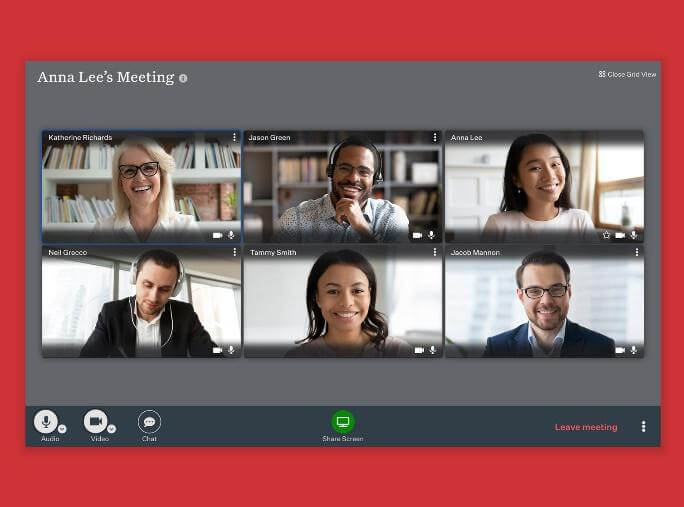
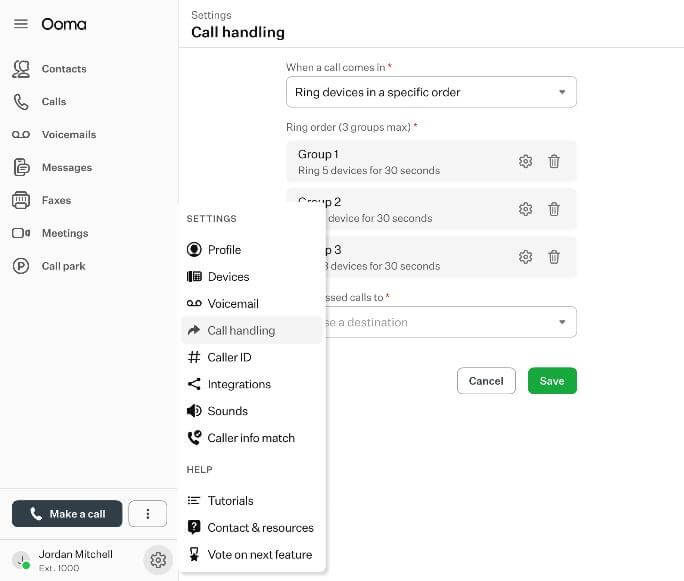
Ooma Office is the powerful cloud-based phone system that enables law firms to save money while enjoying crystal clear calling, videoconferencing, texting and more than 50 additional phone capabilities. -

Caller-ID Pops for Clio
Ooma Office syncs your contacts and pulls key customer information while you take or make calls. Preview your client name and associated legal information within the Ooma Office desktop application. Take quick notes during the call and save them to the matching Clio contact. -

Leverage Ooma AI to record, transcribe, analyze and bill calls.
When enabled Ooma AI will record, transcribe, summarize, and analyze your calls and call history. Key data is saved to Clio Manage. Additionally Ooma's AI Receptionist will help manage incoming calls. Stay focused on your customer relationships, leave the busywork to Ooma.
How Ooma Office works with Clio
-

Connect your account to Ooma Office and sync contact data
Integrates with Clio Grow and Clio Manage so attorneys and staff can preview client information when making or taking phone calls.
Caller-ID Pops powered by Ooma pre-built computer telephony integration (CTI) enables attorneys and staff to proactively manage client profiles during phone conversations.
When an attorney connects with a client that has a matching record within the Clio Grow or Manage application, a Caller-ID Pop appears on the Ooma desktop app that shows detailed client information. In Clio Manage attorneys can take notes during the call directly in the Ooma Office desktop app. At the end of the call, notes along with call information will be automatically saved in Clio Manage interaction history. Text messages sent from Ooma Office are also saved in Clio Manage. -
Leverage OomaAI features and save data in Clio Manage
When enabled, integration with OomaAI provides additional features including AI Receptionist and Answering Service, Call Transcriptions and Insights. Call recordings, transcription summaries and files are saved in Clio Manage.
Media gallery




Browse by category
Helpful resources
-
Getting set up
If you need detailed instructions on connecting Ooma Office to Clio, you may visit this site.
-
Security and privacy policy
We are committed to protecting your privacy.
View Ooma Office’s privacy policy, terms of service and security policy. -
Additional support
Contact Ooma Office’s support at https://support.ooma.com/office/contact-us/?utm_source=MailChimp&utm_campaign=Office_Onboarding_User_1&utm_medium=Email&utm_term=Office&_vsrefdom=OFFICE_ONBOARD&om_phone=877-618-5987